Key takeaways
- Readers can scan Substack posts, notes, and comments of 100+ words (published on or after July 21, 2026) for a human vs. AI percentage
- Writers can pre-scan drafts, add a "How I make this" disclosure, disable detection per post, or report a bad scan
- Pangram's CEO claims one false positive per 10,000 scans; at Substack scale that still burns honest writers, ESL writers first
- The defense: scan before publishing, keep drafts, disclose your process, and revise until your own voice leads
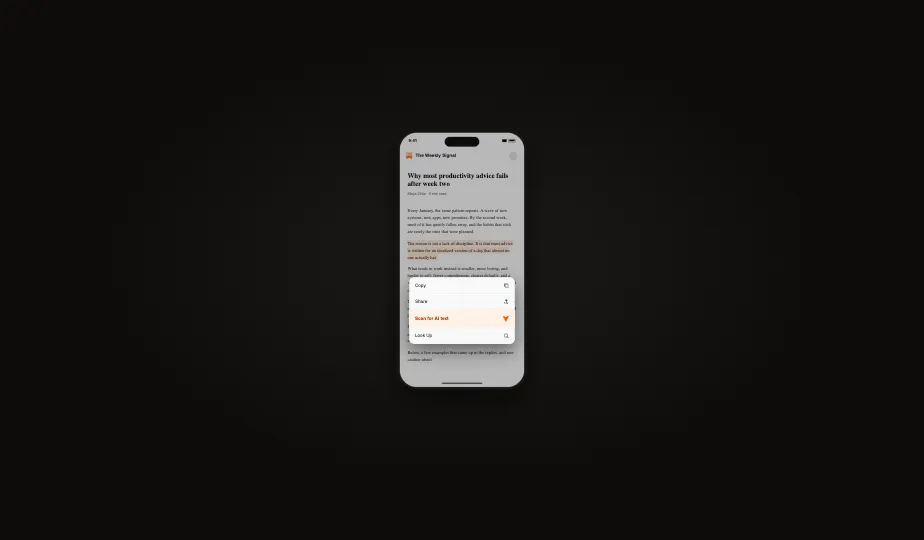
Substack readers can now run an AI detector on your writing, and you do not get a vote on the number that comes back. The feature, which Substack calls Scan for AI text, went live in late July. Anyone reading in the iOS app or the Substack Reader on the web can scan a post, a note, a reply, or a comment and get back a percentage estimate: this much human-written, this much AI-assisted. It works on any text longer than 100 words published on or after July 21, 2026, and the scans are powered by Pangram, a commercial AI detector.
Axios summed up the strategy at launch: Substack is betting readers will pay for writing they can verify came from a human. The reaction was fast and badly split. Some big names welcomed the scanner. Others called it a witch hunt. Both camps are describing the same shift, because the burden of proof about how you write just landed on you.
What Substack actually shipped
Per Substack's support documentation, the scan lives in the Substack Reader on the web and in the iOS app, with Android support coming later. It covers posts, Notes, and individual comments and replies, so a chatty 120-word comment is fair game. It does not work on video or audio posts, on standalone sites or custom domains, or on the email edition of a newsletter. And it only applies to content published on or after July 21, 2026, so nobody's archive suddenly became evidence.
The result is not formally a verdict, just a percentage split. Substack also states that neither it nor Pangram uses publisher content to train generative AI models, which heads off the most predictable objection, though not, as it turned out, the loudest one.
The controls writers get
Substack did think about the writer's side. You can scan your own draft from the Publish page before it goes out, and Notes has a Check for AI option in the composer. A "How I make this" section in publication Settings holds a standing statement about how you work, including how AI is involved. You can disable detection on an individual post, and a Report detection error option sits inside the report itself.
The opt-out is weaker than it sounds. A post with detection disabled shows readers an "AI detection unavailable" message, and in a feed where every other post scans clean, that does not read as neutral. It reads as a drawn curtain. Writers know it, which is why almost nobody who objects to the feature treats the opt-out as an answer.
The backlash, and the defense
Sam Illingworth, a professor who publishes on Substack, told NPR the feature creates an environment where you are "guilty until proven human," and noted that detection tools disproportionately misread non-native English speakers and neurodivergent writers. Writer Mack Collier has said flatly that he will not apologize for using AI in his process. Ghostwriter Alice Lemee raised the commercial point in eWeek's coverage: on a platform where readers pay writers directly, one false accusation can do reputation damage no correction fully repairs.
The feature has serious defenders too. Sam Kriss, who writes Numb at the Lodge, told NPR the technology is imperfect but good enough, and that a platform selling human writing needs a way to stand behind the claim. Substack CEO Chris Best draws the company's line between AI-assisted writing, which is allowed, and low-effort slop, which is what the scanner is aimed at. Pangram CEO Max Spero defends the accuracy directly, estimating a false-positive rate of roughly one in 10,000 scans.
One in 10,000 is a strong number for this category. But rates meet volume. With millions of posts, notes, and comments now scannable by any curious reader, a tiny error rate becomes a standing population of writers who did nothing wrong and own a screenshot that says otherwise.
The burden of proof just moved
Here is the opinion part, stated plainly: reader-facing scanning punishes the wrong people. Someone pasting raw chatbot output into fifty newsletters a week is not worried about a percentage badge; churn operations treat detection as a cost of doing business. The person who should worry is the honest writer whose prose happens to pattern-match the machine: the ESL professional whose second language runs more careful and uniform than a native speaker's, the neurodivergent writer whose rhythm a model reads as synthetic, the plainspoken explainer whose clean paragraphs are exactly what AI was trained to imitate. Detectors measure surface statistics, not process. They cannot see who developed the argument or how many passes a draft went through.
And the asymmetry is brutal. A clean scan proves little and persuades no one who was already suspicious. A bad scan, even a wrong one, is a number with the authority of a machine behind it, and it travels. Substack has effectively deputized every reader as an auditor while making the writer the only party with something to lose. Pangram itself is one of the more capable detectors on the market; we dig into how it behaves, and where it stumbles, in our full Pangram review.
What to do before your next post
None of this calls for panic. It calls for a pre-flight routine, the way photographers learned to keep RAW files.
- Scan before you publish. Use Substack's own draft scan on the Publish page every time, and get a second opinion from a free AI detector so you are not relying on one model's judgment. Know your number before your readers do.
- Keep your drafts. Version history, notebooks, voice memos, outlines. If you are ever wrongly flagged, a paper trail is the difference between an awkward week and a lost subscriber base.
- Disclose your process. Fill out the "How I make this" statement honestly. A writer who says up front "I research with AI and write every sentence myself" has already defused the gotcha screenshot.
- Revise until your voice leads. If AI touches your drafts, do not ship its phrasing. Rework flat, formulaic passages into your own cadence; a tool like WriteHuman is built for exactly that rewriting step, and the free tier (three humanizations a month, 250 words each, no account needed) is enough to try it on a newsletter section. No tool can promise you a particular score, but prose that actually sounds like you is both better writing and better protection.
The scanner is not going away. Substack believes proof of humanity is a product, and judged purely as a business bet, it is probably right. Writers just need to notice who is being asked to supply the proof.
Frequently asked questions
Sources (4)
- 1.How can I detect AI on Substack? (Substack Support)support.substack.com
- 2.
- 3.
- 4.